
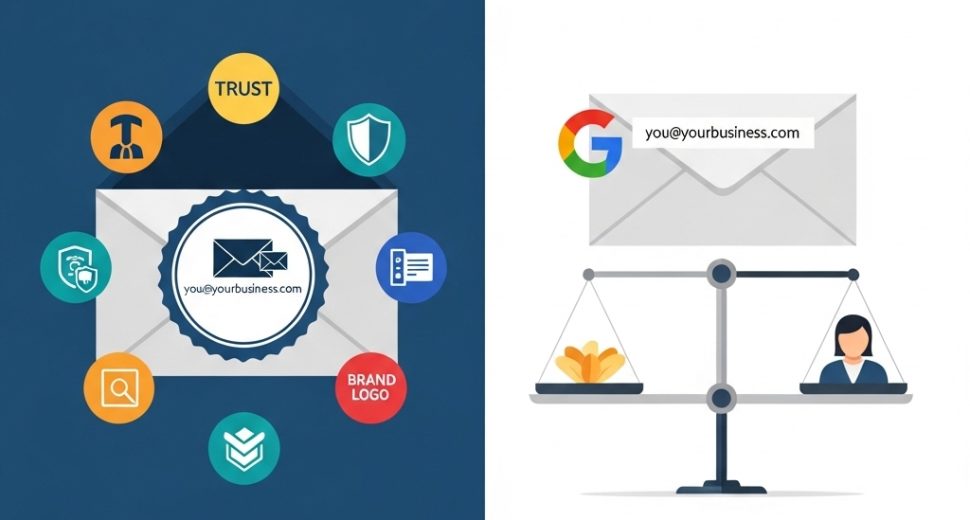

The email address you use to communicate with customers says more about your business than you might realise. When comparing business email vs free email, the difference is not simply cosmetic — it affects how professionally your brand is perceived, how reliably your messages reach the inbox, and how securely your communications are protected. Whether you are just starting out or reassessing your current setup, understanding why a professional business email outperforms a free Gmail, Yahoo, or Outlook address is one of the most practical decisions you can make for your brand in 2026.
In this guide, we break down every key difference between business email and free email — from credibility and deliverability to security, control, and long-term value — so you can make a fully informed decision for your business.
What is a Business Email Address?
A business email address uses your own custom domain name rather than a generic provider’s domain. Instead of yourbusiness@gmail.com, a professional business email looks like hello@yourbusiness.com or yourname@yourbusiness.com.
To set this up, you need two things: a registered domain name and an email hosting plan — either bundled with your web hosting or purchased as a standalone service. Once configured, your emails are sent and received through your own branded domain, managed through a professional email platform with business-grade features and security.
Furthermore, business email addresses can be structured in multiple formats to suit different teams and functions — for example, support@yourbusiness.com, sales@yourbusiness.com, or invoices@yourbusiness.com — giving your entire organisation a consistent, professional identity.
What is a Free Email Address?
A free email address is provided by consumer email platforms — most commonly Gmail (Google), Yahoo Mail, Outlook.com (Microsoft), or iCloud Mail (Apple). These services are free to use, easy to set up, and come with generous storage and a range of useful features.
However, free email addresses use the provider’s domain — meaning your address ends in @gmail.com, @yahoo.com, or @outlook.com rather than your own business domain. Additionally, free email accounts are designed for personal use — not for the specific requirements of business communication, team management, or professional deliverability.
For personal correspondence, free email is perfectly adequate. For running a business, however, the limitations quickly become significant.
Business Email vs Free Email – Full Comparison
1. Professional Credibility – First Impressions Matter Enormously
The most immediately visible difference in the business email vs free email comparison is what your address communicates before a single word of your message is read.
Consider two emails arriving in a potential client’s inbox:
Both may contain identical, well-written proposals. Nevertheless, research consistently shows that recipients perceive custom domain email addresses as significantly more credible, trustworthy, and established than free provider addresses. A study by Verisign found that 73% of consumers consider a custom domain email address more credible than a generic free email equivalent.
Furthermore, a free email address — particularly one with numbers or underscores added to make a taken username available — actively signals that the business is either very small, newly established, or not fully committed to professional presentation. For many potential customers, that first impression is enough to look elsewhere.
Consequently, in competitive markets where trust and professionalism determine whether a prospect becomes a client, a business email address is not a luxury — it is a baseline expectation.
2. Brand Consistency – Every Email Reinforces Your Identity
Every email sent from a custom domain email address is a passive brand impression. The recipient sees your domain name — your brand — in every communication, every reply thread, and every forwarded message. Over hundreds or thousands of emails, this consistent reinforcement builds genuine brand recognition.
With a free email address, however, you are reinforcing Google’s brand, Yahoo’s brand, or Microsoft’s brand — not your own. Moreover, if you ever rebrand or change your business name, a free email address creates confusion and discontinuity that a business email tied to your domain handles seamlessly through simple address updates.
Additionally, business email platforms allow you to create multiple branded addresses under one domain — meaning your whole team presents a unified, professional identity regardless of how many people are sending emails on your behalf. This level of brand consistency is simply not achievable with individual free email accounts.
3. Email Deliverability – Reaching the Inbox vs the Spam Folder
This is one of the most technically significant differences in the business email vs free email debate — and one of the most frequently overlooked by small business owners.
Email deliverability refers to the likelihood that your email actually reaches the recipient’s inbox rather than being filtered into spam or blocked entirely. Several factors influence deliverability — and business email addresses have a structural advantage over free accounts in almost all of them.
Business email hosting allows you to configure:
- SPF (Sender Policy Framework) — verifies that your email is sent from an authorised server
- DKIM (DomainKeys Identified Mail) — adds a cryptographic signature that proves the email has not been tampered with in transit
- DMARC (Domain-based Message Authentication, Reporting & Conformance) — tells receiving mail servers what to do if SPF or DKIM checks fail
Together, these three authentication protocols dramatically improve deliverability and protect your domain from being spoofed by spammers. Furthermore, when these records are properly configured, your emails are far less likely to be flagged as spam by recipient mail servers.
Free email accounts, by contrast, share deliverability infrastructure with millions of other users — including spammers and phishing operators who abuse the same platforms. As a result, emails sent from free accounts to business recipients are increasingly likely to be filtered, flagged, or blocked — particularly when sent in volume.
4. Security and Privacy – Protecting Business Communications
Security is a critical dimension of the professional email vs free email comparison that many businesses only appreciate after experiencing a problem.
Free email platforms — while convenient — are consumer products designed for broad accessibility, not enterprise security. They are frequent targets for phishing attacks, credential stuffing, and account hijacking. Additionally, free providers such as Google have historically scanned email content for advertising targeting purposes — a practice that raises legitimate data privacy concerns for sensitive business communications.
Business email hosting, by contrast, typically includes:
- End-to-end encryption options for sensitive communications
- Advanced spam and phishing filtering at the server level
- Data residency controls — specifying where your email data is stored geographically
- Compliance tools for industries with regulatory requirements (GDPR, HIPAA, etc.)
- Admin-level account controls — allowing IT teams to manage access, reset passwords, and remotely wipe accounts if a device is lost or an employee leaves
Furthermore, business email platforms allow administrators to enforce two-facto/website-security-features-every-hosting-plan-should-haver authentication across all accounts in the organisation — a policy that significantly reduces the risk of account compromise. Our article on website security features every hosting plan should have covers email security in the broader context of hosting security requirements.
5. Storage and Management – Built for Business Scale
Free email accounts come with generous personal storage — Gmail offers 15GB shared across Google services, for example. However, as a business communication tool, free email quickly shows its limitations.
Business email hosting provides:
- Per-user mailbox storage — often 25GB to 50GB or more per account, with upgrade options
- Centralised admin controls — manage all team mailboxes from a single dashboard
- Shared mailboxes and aliases — route emails from support@ or info@ to multiple team members simultaneously
- Email archiving — automatically retain all business communications for compliance and legal purposes
- Calendar and contact synchronisation — integrated scheduling tools designed for team collaboration
Additionally, when an employee leaves a business using free email, their account — and all the communications within it — belongs to them personally, not the company. Consequently, important client conversations, contracts, and communication history can be lost permanently. With business email hosting, the organisation retains full ownership and control of all mailboxes regardless of staff changes.
6. Customer Support – Getting Help When It Matters
Free email platforms provide essentially no meaningful customer support for individual accounts. If your Gmail account is locked, hacked, or suspended, your options are limited to self-service help articles and community forums — with no guarantee of resolution or timeline.
Business email hosting, by contrast, typically includes 24/7 technical support from a dedicated team. If your email goes down, you can contact support directly and get a resolution — not spend days navigating automated recovery processes. For a business where email is a mission-critical communication channel, this distinction is enormously important.
Furthermore, business email providers often offer SLA-backed uptime guarantees — committing to specific availability percentages and providing compensation if service falls short. Free email platforms make no such commitments.
7. Cost – Is Business Email Worth the Investment?
The word “free” is compelling — but it is important to understand what free email actually costs when you factor in the indirect consequences.
Free email is genuinely free — $0/month for basic accounts. However, the costs show up elsewhere: in lost credibility with prospects, in emails landing in spam folders, in security vulnerabilities, and in the absence of support when something goes wrong.
Business email hosting is remarkably affordable — typically ranging from $1 to $6 per user per month depending on the provider and features included. Many web hosting plans include basic business email as part of the package, making the incremental cost minimal for businesses that are already paying for hosting.
Additionally, premium business email platforms — such as Google Workspace (from $6/user/month) or Microsoft 365 Business (from $6/user/month) — bundle email with productivity tools including cloud storage, document editing, video conferencing, and team collaboration features. Consequently, the total value delivered extends well beyond email alone.
For most small businesses, the investment in business email is one of the highest-return professional decisions available — directly improving credibility, deliverability, and security for a cost that is typically less than a daily cup of coffee per user.
Business Email vs Free Email – Side-by-Side Summary
| Factor | Business Email | Free Email |
|---|---|---|
| Email Address Format | you@yourbusiness.com | you@gmail.com |
| Brand Credibility | High — reinforces your brand | Low — promotes provider’s brand |
| Deliverability | Excellent with SPF/DKIM/DMARC | Variable — shared infrastructure |
| Security | Enterprise-grade | Consumer-grade |
| Privacy | Data ownership and control | Provider terms apply |
| Storage | 25GB–50GB+ per user | 15GB shared (Google) |
| Admin Controls | Full team management | Individual accounts only |
| Customer Support | 24/7 dedicated support | Self-service only |
| Compliance Tools | Available | Limited or unavailable |
| Cost | $1–$6/user/month | Free |
| Best For | Any serious business | Personal use only |
Who Should Use Business Email – And Who Can Get Away With Free?
You Should Use Business Email If:
- You are running any kind of business — regardless of size
- You communicate with clients, suppliers, or partners via email
- You send invoices, proposals, contracts, or sensitive information by email
- You want your brand to be taken seriously from day one
- You operate in a regulated industry with data compliance requirements
- You have a team — or plan to grow one — that needs managed email accounts
Free Email Might Be Acceptable If:
- You are testing a business idea before committing to any infrastructure
- You are a hobbyist or sole creator with no commercial intent
- Your email usage is genuinely personal rather than professional
However, it is worth noting that even in the testing phase, setting up a custom domain and professional email from the beginning costs very little and builds better habits from the start. Furthermore, migrating contacts and communications from a free address to a business address later is a disruptive process that is far easier to avoid entirely.
How to Set Up a Business Email Address
Setting up a custom domain email for your business is straightforward with the right hosting provider. Here is the general process:
Step 1 — Register your domain name If you do not already have one, register your business domain through a domain registrar. Choose a domain that matches your business name as closely as possible.
Step 2 — Choose an email hosting plan Many web hosting providers include business email as part of their hosting packages. Alternatively, standalone email hosting services — or platforms like Google Workspace and Microsoft 365 — offer feature-rich business email solutions. Our guide on how to choose the right hosting provider covers what to look for when evaluating providers that bundle email hosting.
Step 3 — Configure your DNS records Your hosting provider will supply MX (Mail Exchange) records that need to be added to your domain’s DNS settings. Additionally, configure SPF, DKIM, and DMARC records to maximise deliverability and security.
Step 4 — Create your email accounts Set up individual mailboxes for team members, plus functional addresses — info@, support@, sales@ — as needed. Configure forwarding rules and shared mailboxes to route emails appropriately.
Step 5 — Connect to your email client Most business email platforms support IMAP and SMTP configuration for desktop clients like Outlook and Apple Mail, as well as dedicated mobile apps for iOS and Android.
Frequently Asked Questions About Business Email vs Free Email
Can I use Gmail with my own domain name?
Yes — through Google Workspace, you can use Gmail’s interface and infrastructure with your custom domain email address. This gives you the familiarity of Gmail combined with the professionalism and features of a business email platform.
Is business email more secure than Gmail?
Business email hosting gives you significantly more control over security — including admin-enforced 2FA, data residency settings, and compliance tools. However, Google Workspace — which is technically business Gmail — also offers enterprise-grade security. The key distinction is control and customisation, not the underlying technology.
What happens to my free email contacts when I switch to business email?
Most email clients allow you to export your contacts as a CSV file and import them into your new business email account. Additionally, setting up an auto-reply on your old free email address that directs contacts to your new business address helps manage the transition smoothly.
Do I need separate hosting for business email?
Not necessarily. Many web hosting plans include business email as part of the package — meaning your website and email are managed through the same provider. Alternatively, standalone email hosting gives you more flexibility to choose the best email platform independently of your web hosting provider.
How many business email addresses do I need?
At minimum, one address per team member plus key functional addresses — info@, support@, and hello@ are common starting points. As your business grows, adding department-specific or role-specific addresses is straightforward through your email hosting admin panel.
Final Thoughts: Why Business Email is a Non-Negotiable Professional Standard
The business email vs free email comparison ultimately comes down to what your email address says about your business — before a single word of your message is read.
A free email address communicates that your business is informal, provisional, or not fully invested in its own professional identity. A business email address communicates credibility, stability, and attention to detail — qualities that matter enormously to clients, partners, and prospects making decisions about who to trust with their business.
To summarise the key differences:
- Credibility — custom domain email builds trust; free email undermines it
- Deliverability — business email with SPF/DKIM/DMARC reaches inboxes more reliably
- Security — business email offers enterprise controls free platforms cannot match
- Brand consistency — every email reinforces your domain and identity
- Control — your organisation owns and manages all accounts and data
- Cost — typically $1–$6/user/month — one of the best-value professional investments available
As a result, for any business that is serious about its reputation and growth, switching from free email to a professional business email address is not just recommended — it is essential. The investment is minimal, the impact is immediate, and the long-term value compounds with every single email you send.