
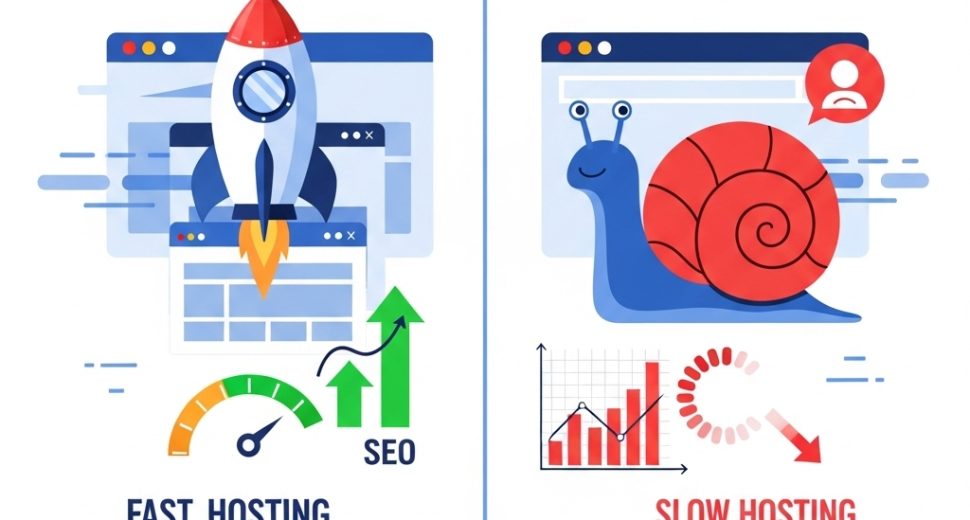

Your hosting provider is doing more damage to your Google rankings than you might realise. While most website owners focus on keywords, backlinks, and content strategy, hosting speed affects SEO rankings in ways that are just as powerful — and far more frequently overlooked. A slow server doesn’t just frustrate your visitors; it sends direct negative signals to search engines, pushes your pages down in results, and quietly drains your conversion rate every single day.
In this guide, we explore exactly how hosting speed affects SEO rankings and user experience, what causes hosting-related slowdowns, and what you can do to fix them — starting today.
Why Hosting Speed is an SEO Factor You Cannot Ignore
Google has been explicit about page speed as a ranking factor since 2010. However, in 2021, the introduction of Core Web Vitals made it even more consequential. These are a set of real-world performance metrics that Google uses to evaluate the quality of a user’s experience on your website — and your hosting infrastructure plays a central role in determining them.
Furthermore, speed is not just a technical metric. It is a direct reflection of how your website treats its visitors. A page that takes four seconds to load loses a significant portion of its audience before a single word is read. Consequently, slow hosting hurts rankings both directly — through Google’s speed signals — and indirectly, through the behavioural signals slow sites generate.
Understanding how web hosting performance affects SEO begins with understanding what Google actually measures.
What Google Actually Measures – Core Web Vitals Explained
Core Web Vitals are three specific metrics that Google uses to assess page experience. Your hosting infrastructure directly influences all three.
Largest Contentful Paint (LCP)
LCP measures how long it takes for the largest visible element on your page — typically a hero image or headline — to fully render. Google considers an LCP of under 2.5 seconds to be good. A slow server response time pushes LCP higher, signalling a poor experience to Google’s crawlers.
Interaction to Next Paint (INP)
INP measures how quickly your page responds to user interactions — clicks, taps, and keyboard inputs. Although this metric is influenced by JavaScript execution, a slow server that delivers scripts late compounds the problem significantly. Therefore, fast hosting creates the foundation for good INP scores.
Cumulative Layout Shift (CLS)
CLS measures visual stability — how much your page elements shift around as the page loads. While CLS is less directly tied to server speed, slow-loading resources like fonts and images that arrive late frequently cause layout shifts that hurt your score.
According to Google Search Central, pages that meet the Core Web Vitals thresholds are eligible for a ranking boost over otherwise comparable pages that do not.
How Hosting Speed Affects SEO Rankings – The Direct Connection
Server Response Time and TTFB
Time to First Byte (TTFB) is the interval between a browser sending a request to your server and receiving the first byte of data in response. It is the most direct measure of your hosting server’s performance — and one of the earliest signals Google evaluates.
Google’s guidelines recommend a TTFB of under 800 milliseconds. However, premium hosting environments routinely achieve TTFB values of 100–300ms, while overloaded shared servers often exceed 1,500ms or more.
A high TTFB tells Google that your server is slow, overloaded, or poorly configured. Consequently, this signal cascades through every other performance metric — LCP, load time, and interactivity all suffer when TTFB is poor.
Crawl Budget and Hosting Speed
Search engines don’t have unlimited time to spend crawling your website. Google allocates a crawl budget to each site — a finite number of pages it will crawl within a given period. Additionally, slow server response times directly reduce crawl efficiency.
When your server responds slowly, Google’s crawler moves through your site more cautiously and crawls fewer pages per session. For large websites with hundreds or thousands of pages, this means important content may go uncrawled — and therefore unindexed — for extended periods. As a result, slow hosting directly limits how much of your website Google can discover and rank.
Bounce Rate and Dwell Time
Although Google has not officially confirmed bounce rate as a direct ranking signal, the behavioural patterns associated with slow sites are impossible to ignore. Research from Think with Google reveals that as page load time increases from one second to five seconds, the probability of a visitor bouncing increases by 90%.
When visitors leave your site immediately — before reading any content — Google interprets this as a signal that your page failed to satisfy the query. Furthermore, reduced dwell time compounds the problem, suggesting to search algorithms that your content is not engaging or relevant. Both outcomes push your rankings in the wrong direction.
How Slow Hosting Damages User Experience
Beyond SEO, hosting speed and user experience are inseparably linked. Even a fraction-of-a-second delay has measurable consequences for how users perceive and interact with your website.
The Psychology of Loading Time
Users form an opinion about your website within 50 milliseconds of it beginning to load — before most of the content has even appeared. A slow, stuttering load communicates unreliability and unprofessionalism, regardless of how well-designed the final page actually is.
Moreover, studies consistently show that users expect a page to load in under two seconds. Every second beyond that erodes trust, increases frustration, and reduces the likelihood of conversion. For e-commerce websites in particular, the impact is direct and measurable — Amazon famously found that every 100ms of latency costs them 1% in sales.
Mobile Users Are Hit Hardest
Mobile visitors are disproportionately affected by slow hosting. Because mobile connections are often less stable than desktop broadband, a slow server response compounds existing network latency and pushes total load times to unacceptable levels.
Additionally, Google now uses mobile-first indexing — meaning it evaluates and ranks your website based on its mobile performance, not desktop. Therefore, a hosting environment that performs adequately on desktop but struggles on mobile is actively hurting your rankings in Google’s primary evaluation environment.
Conversion Rate Impact
The relationship between page load speed and conversion rates is one of the most well-documented findings in digital marketing. According to Portent’s research, websites that load in one second convert three times better than websites that load in five seconds.
For every additional second of load time, conversion rates drop measurably. Consequently, if your hosting is adding two or three seconds to your load time, you are not just losing SEO ground — you are leaving a significant portion of potential revenue on the table every single day.
The Hosting Factors That Directly Influence Speed
Not all hosting-related speed problems are equal. Here are the specific infrastructure elements that most commonly affect website speed and SEO:
Server Hardware Quality
Older, spinning HDD storage is dramatically slower than modern SSD (Solid State Drive) infrastructure. Additionally, the CPU and RAM allocated to your server determine how quickly it can process requests. Overcrowded shared servers with outdated hardware are among the most common causes of poor TTFB and slow load times.
Server Location and Latency
Physical distance between your server and your visitor adds real, measurable latency to every request. A server located in the United States serving visitors in Pakistan adds tens of milliseconds to every interaction — and those milliseconds accumulate across every asset your page loads.
Therefore, choosing a hosting provider with server locations close to your primary audience is a meaningful performance decision. For global audiences, a CDN (Content Delivery Network) compensates by caching your content at edge locations worldwide.
Shared Server Overcrowding
On shared hosting plans, the “bad neighbor effect” is a genuine and common performance problem. When another website on your server experiences a traffic spike, the resulting resource contention slows every other site on that machine. Consequently, your hosting speed becomes partially dependent on the behavior of websites you have no control over.
Hosting Plan Resource Limits
Every hosting plan has caps on CPU usage, RAM, and bandwidth. When your website approaches or exceeds these limits — even temporarily — server response times spike dramatically. Furthermore, some providers throttle performance aggressively when limits are approached, creating sudden, unexplained slowdowns that are difficult to diagnose.
Server-Side Caching and Configuration
A well-configured server uses caching layers — such as Varnish, Redis, or OPcache — to serve pre-generated responses rather than processing every request from scratch. However, basic shared hosting plans rarely include these optimisations. As a result, every page request triggers a full database query and PHP execution cycle, adding unnecessary processing time to each response.
How to Improve Hosting Speed for Better SEO
Understanding the problem is only half the equation. Here is what you can actually do to improve server response time and SEO performance:
Upgrade to SSD-Based Hosting
If your current provider uses HDD storage, switching to an SSD-based plan is the single highest-impact change you can make. Most modern VPS and cloud hosting plans use SSD storage as standard — if yours does not, it is time to upgrade.
Choose a Server Location Close to Your Audience
Select a data centre geographically close to the majority of your visitors. Additionally, implement a CDN to serve cached assets from edge locations around the world, dramatically reducing latency for international visitors.
Move from Shared to VPS Hosting
If slow hosting is hurting your rankings, upgrading from shared to VPS hosting eliminates the bad neighbor effect and guarantees dedicated resources. Our guide on shared vs VPS vs dedicated hosting explains exactly when this upgrade makes sense.
Enable Server-Side Caching
Ask your hosting provider whether server-level caching is available on your plan. Alternatively, on a VPS or dedicated server, configure Nginx FastCGI caching, Redis object caching, or Varnish to dramatically reduce server processing time per request.
Use a Content Delivery Network (CDN)
A CDN like Cloudflare caches your static assets — images, CSS, JavaScript — at edge servers worldwide. Furthermore, Cloudflare’s free plan also includes DDoS protection and basic performance optimisation, making it an essential addition for almost any website.
Monitor Your TTFB Regularly
Use tools like Google PageSpeed Insights, GTmetrix, or WebPageTest to measure your server’s TTFB regularly. Tracking this metric over time helps you identify when hosting performance degrades — and act before it affects your rankings.
Hosting Speed Red Flags to Watch Out For
Additionally, here are warning signs that your current hosting is actively hurting your SEO and user experience:
- TTFB consistently above 800ms — your server is too slow or overloaded
- PageSpeed Insights score below 50 — significant performance issues exist at the infrastructure level
- Unexplained traffic drops — poor crawl efficiency from slow servers can reduce indexed pages
- High bounce rates despite good content — visitors are leaving before the page fully loads
- Hosting provider throttling — artificially slowed performance when resource limits are approached
- No SSD storage — outdated hardware is a fundamental performance bottleneck
Frequently Asked Questions
Does hosting speed directly affect Google rankings?
Yes. Google confirmed page speed as a ranking factor for desktop in 2010 and for mobile in 2018. Furthermore, Core Web Vitals — which are heavily influenced by hosting performance — became an official ranking signal in 2021. Slow hosting directly and measurably affects where your pages appear in search results.
What is a good server response time for SEO?
Google recommends a Time to First Byte (TTFB) of under 800 milliseconds. However, the best-performing websites typically achieve TTFB values of 100–300ms. Anything consistently above 1,000ms warrants immediate investigation and likely a hosting upgrade.
Can a CDN fix slow hosting?
A CDN significantly improves delivery speed for static assets and reduces latency for global visitors. However, it cannot fully compensate for a slow origin server. If your TTFB is high, the root cause is your hosting infrastructure — and a CDN alone will not resolve it.
How do I test if my hosting is slowing down my SEO?
Use Google PageSpeed Insights, GTmetrix, or WebPageTest to measure your TTFB and Core Web Vitals scores. Additionally, Google Search Console’s Page Experience report shows how your pages are performing against Core Web Vitals thresholds across real user data.
Is VPS hosting faster than shared hosting for SEO purposes?
Generally, yes — and significantly so. VPS hosting provides dedicated resources that eliminate the bad neighbor effect, consistently lower TTFB values, and better support for server-side caching configurations. For websites where SEO performance matters, upgrading from shared to VPS hosting is one of the most impactful technical improvements available.
Final Thoughts: Hosting Speed, SEO Rankings, and the Cost of Getting It Wrong
The evidence is clear: hosting speed affects SEO rankings in ways that compound over time. A slow server raises your TTFB, damages your Core Web Vitals scores, reduces Google’s crawl efficiency, and drives visitors away before your content even loads. Every one of these effects pushes your rankings lower — and keeps them there.
To summarise what matters most:
- TTFB under 800ms is Google’s threshold — aim for under 300ms with quality hosting
- Core Web Vitals are an official ranking signal and directly tied to server performance
- Mobile-first indexing means mobile hosting performance is your primary SEO benchmark
- Upgrading from shared to VPS hosting is often the most impactful single change for speed
- A CDN combined with fast hosting delivers the best possible performance for global audiences
Consequently, investing in fast, reliable hosting is not just an infrastructure decision — it is one of the highest-return SEO investments you can make for your website’s long-term visibility and growth. If you are currently evaluating providers, our guide on how to choose the right hosting provider walks you through every performance factor worth checking before you commit.